
Hash and key verification
Why should anyone verify keys and signatures?
Section titled “Why should anyone verify keys and signatures?”Most people — even programmers — are confused about the basic concepts underlying digital signatures. Therefore, most people should read this section, even if it looks trivial at first sight.
Digital signatures can both prove authenticity and integrity to a reasonable degree of certainty. Authenticity ensures that a given file was indeed created by the person who signed it (i.e. that it was not forged by a third party). Integrity ensures that the contents of the file have not been tampered with (i.e., that a third party has not undetectably altered its contents en route).
Digital signatures cannot prove any other property (e.g., that the signed file is not malicious). There is nothing that could stop someone from signing a malicious program (and it happens from time to time in reality).
The point is that we must decide who we will trust (e.g., Linus Torvalds, Microsoft, or the Parrot Project) and assume that if a given file was signed by a trusted party, then it should not be malicious or negligently buggy. The decision of whether to trust any given party is beyond the scope of digital signatures. It’s more of a sociological and political decision.
Once we decide to trust certain parties, digital signatures are useful. They make it possible for us to limit our trust only to those few parties we choose and not to worry about all the bad things that can happen between us and them, e.g., server compromises (parrotsec.org will surely be compromised one day, so don’t blindly trust the live version of this site), dishonest IT staff at the hosting company, dishonest staff at the ISPs, Wi-Fi attacks, etc…
By verifying all the files we download that purport to be authored by a party we’ve chosen to trust, we eliminate concerns about the bad things discussed above, since we can easily detect whether any files have been tampered with (and subsequently choose to refrain from executing, installing, or opening them).
However, for digital signatures to make any sense, we must ensure that the public keys we use for signature verification are indeed the original ones. Anybody can generate a GPG key pair that purports to belong to the “Parrot OS” but of course only the key pair that we (i.e. the Parrot Team) generated is the legitimate one. The next section explains how to verify the validity of the ParrotOS signing keys in the process of verifying a Parrot OS ISO. However, the same general principles apply to all cases in which you may wish to verify a PGP signature, such as verifying repositories, not just ISOs.
Import the Parrot signing key
Section titled “Import the Parrot signing key”Complete the steps below if you are unfamiliar with GnuPG or if they haven’t already been performed. They also fix eventual GPG: WARNING: unsafe ownership warnings.
1. Make sure GnuPG has initialized your user data folder
Section titled “1. Make sure GnuPG has initialized your user data folder”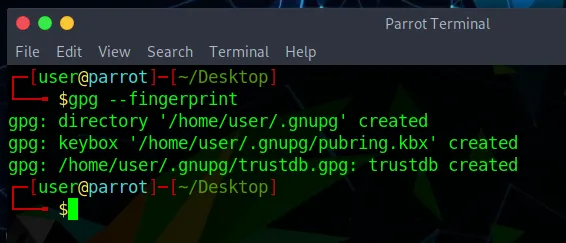
2. Set warning free permissions
Section titled “2. Set warning free permissions”chmod --recursive og-rwx ~/.gnupg3. Get the ParrotOS key
Section titled “3. Get the ParrotOS key”wget -q -O - https://deb.parrot.sh/parrot/misc/parrotsec.gpg | gpg --import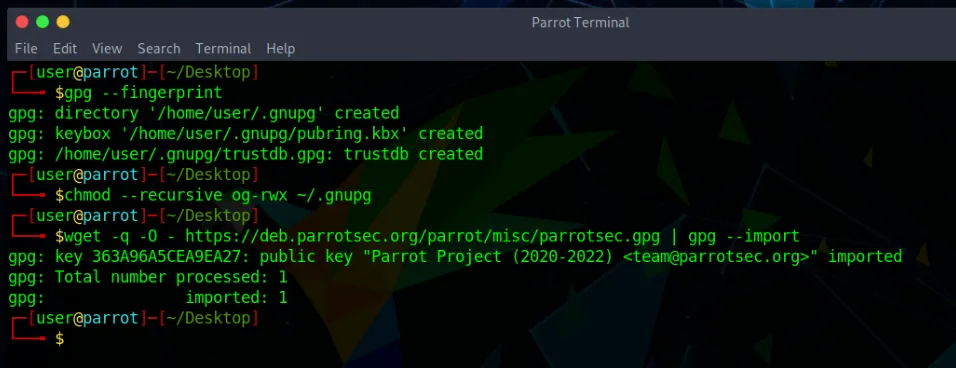
ISO Verification
Section titled “ISO Verification”Verification is a two-step process, and both steps are needed. A checksum on its own only proves that the file you downloaded matches the list you read; it proves nothing if an attacker controls the server serving both. Verifying the signature on the hash list first is what makes the comparison meaningful.
1. Download and verify the signed hash list
Section titled “1. Download and verify the signed hash list”Each release directory contains a signed-hashes.txt file: a clearsigned PGP message listing the md5, sha256 and sha512 checksums of every published image. Download the one matching your release from the ParrotOS ISO archive:
wget https://download.parrot.sh/parrot/iso/7.1/signed-hashes.txtVerify that it was really signed by the Parrot team:
gpg --verify signed-hashes.txtThe output must contain a Good signature line naming the Parrot key you imported above:
gpg: Signature made Wed Feb 11 01:15:48 2026 CETgpg: using RSA key B711822346552E4D92DA02DF7A8286AF0E81EE4Agpg: Good signature from "Parrot Project (2024-2026) <team@parrotsec.org>" [unknown]A WARNING: This key is not certified with a trusted signature notice is expected: it only means you have not personally assigned trust to the key, not that the signature is invalid.
2. Compare the checksum of your image
Section titled “2. Compare the checksum of your image”Now compute the checksum of the file you downloaded. Prefer SHA512 or SHA256:
sha512sum Parrot-home-7.1_amd64.iso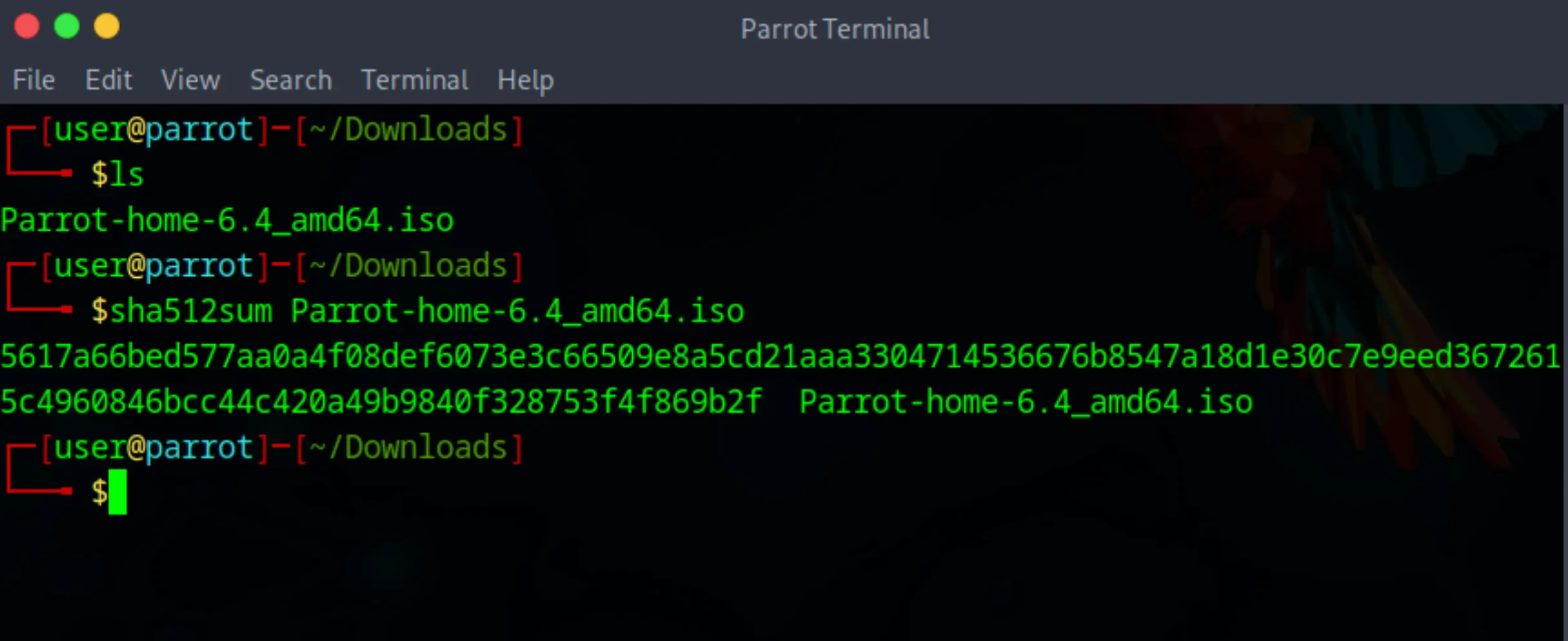
Then find the matching entry in the sha512 section of the verified signed-hashes.txt:
grep Parrot-home-7.1_amd64.iso signed-hashes.txt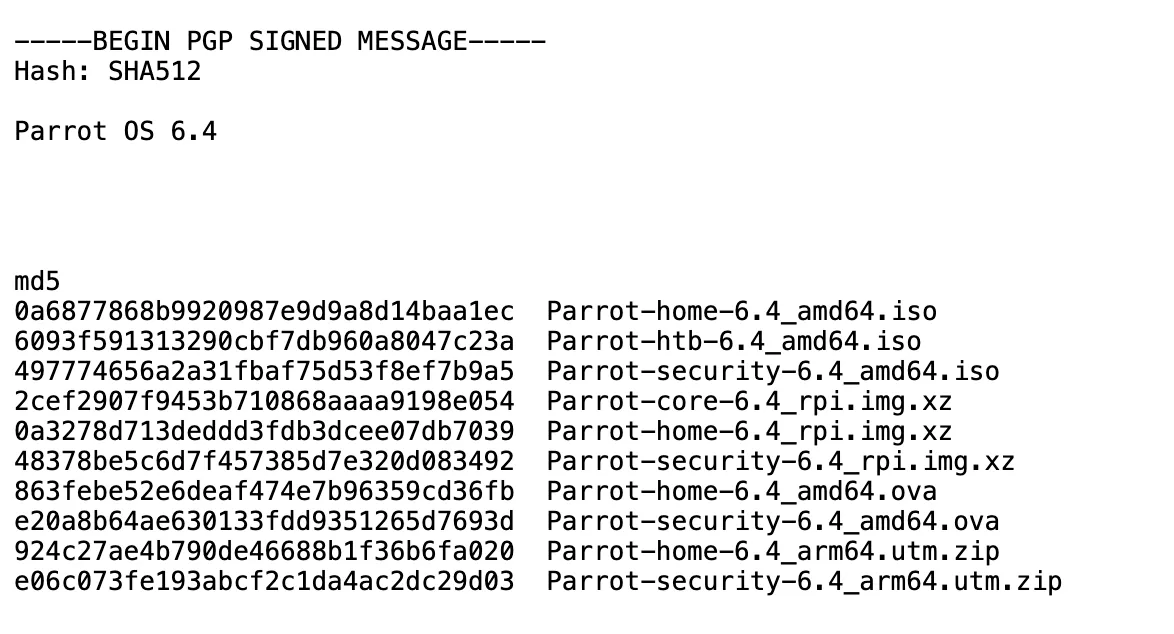
Compare the alphanumeric string produced by your machine with the one on the corresponding line. They must match exactly.
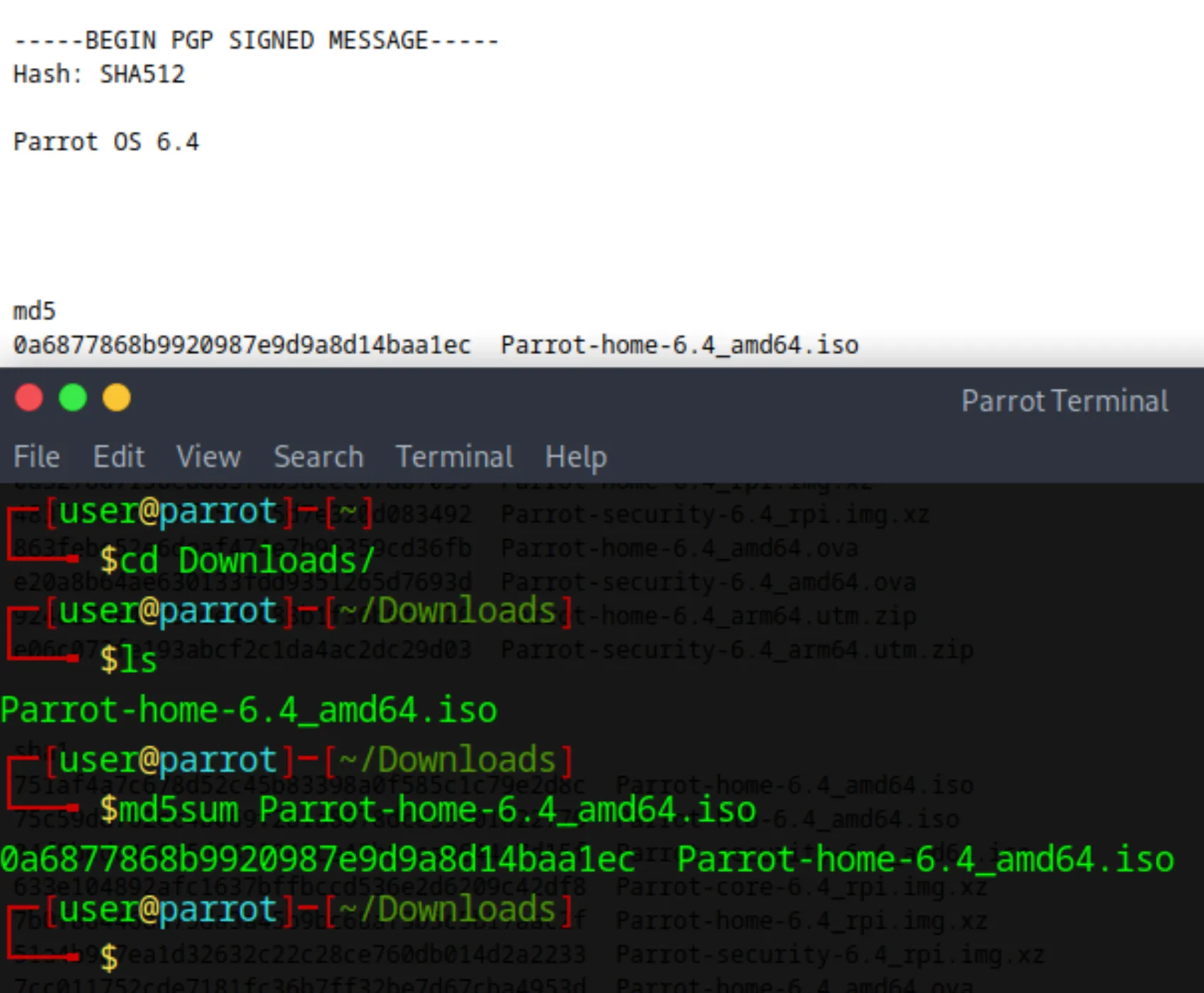
If the two hashes match, the downloaded file is intact and authentic. If they do not, the download was either corrupted or served by a faulty mirror: download the file again, from a different mirror if you suspect a server error.
If you repeatedly receive an erroneous file from a server, please notify the Parrot team about that mirror so we can investigate.